
What is The Good Cloud?
Background
In recent years I have become more aware of online privacy. I was heavily invested in the Google ecosystem: Gmail, Google Drive, Google Chrome, Google Docs, Sheets, etc. They all work seamlessly together, sync my data & preferences across platforms, and are free (until you reach a 15GB data cap).
Microsoft & Apple offer similar file storage and office suites. All three companies give you these services for free (to a point) in order to keep you online – at their site – so they can track your every click, adding to the mountain of personal data they store about you.
I was also sick of ads. Ads everywhere. Shop for underwear today, and be inundated with ads for Hanes & Fruit of the Loom for days to come. Browser-based advertisements and sponsored search results clutter your workspace, distract your attention, and are a nuisance.
My De-Googling Experiment
It was a long and difficult process. But I actually managed to totally divorce myself from Google. I switched web browser, email account, file storage, photo backup, password manager, calendar, map, office suite, and search engine. I found non-Google replacements for everything. I did this on my PC, phone, and tablet. Everything worked, sort of. The replacement apps did not play nicely together. Tasks that had been simple were now cumbersome.
I also turned an old Windows laptop into a Linux machine. That took a lot of research and study, and it taught me about privacy, security, and open source vs. proprietary software. In the end I had a fully functioning laptop with access to all of my files, email, office suite, calendar, etc., without a single Google or Microsoft app or service. It was 100% open source and free. And it was a nightmare.
Linux runs the internet. Linux is the OS of choice for many techies. But it is not for the everyday user.
I have since adopted a hybrid system that does include using Microsoft Windows and some Google products because ease of use and functionality are important. But I do not use Google Chrome or Google search. I use Vivaldi web browser with DuckDuckGo as the search engine. I never see ads. Ever. Vivaldi incorporates into Windows and Android very nicely with no loss of functionality or ease of use
But I didn’t go back to Google Drive and its built-in office suite. So I still needed a replacement for that. And that’s why I turned to Nextcloud.
If you research file storage & sync services, you will undoubtedly end up at Nextcloud’s website during your search. And you may decide that you want to try it, but find yourself overwhelmed with options that you don’t understand.
For an average user, the best and really only choice is to sign up with a Nextcloud partner. You will use Nextcloud by logging into a web-based account that gives you file storage, syncs with your PC and other devices, and includes a fully functioning office suite. It’s 100% private and secure. No ads. No tracking. No data collection. No personal information is asked for apart from your email address. You don’t even need to input a payment card unless you decide to upgrade for more storage space.
Your difficulty will be in choosing a provider. Most of them are overseas. They are all probably unknown to you. Some offer more storage than others. Some have a free forever tier. Some have free trials. And, the list of available providers is different depending on which Nextcloud page you are viewing. How do you choose?
Learn more about Nextcloud and available providers
Read about Nextcloud to decide if you want to try it.
https://nextcloud.com
Most of these Nextcloud partners are enterprise solutions. https://nextcloud.com/partners
Easy Personal Account Signup
Creating a free Nextcloud account is very easy.
The sign-up page is at: https://nextcloud.com/sign-up
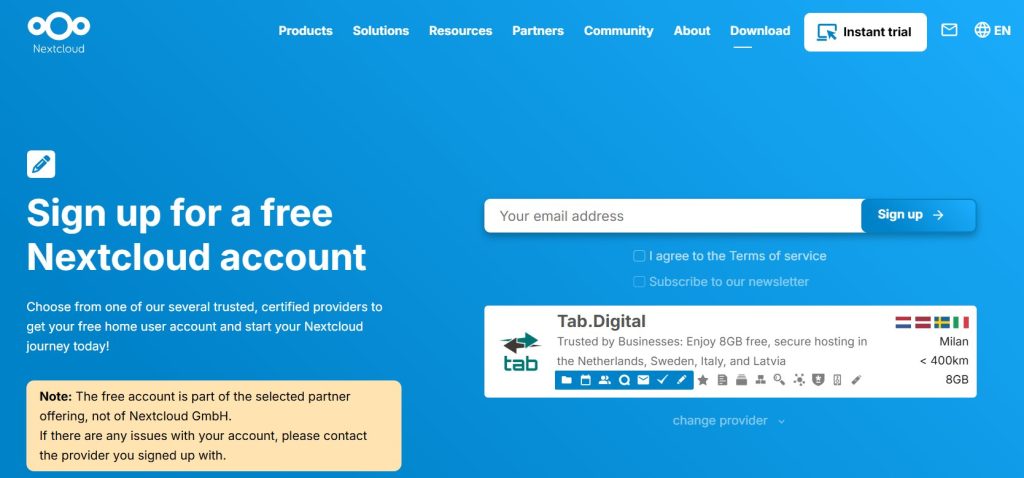
The default provider, Tab Digital, is the only option you see at first. If you click on “Change provider”, a second choice becomes available to choose, which is The Good Cloud.
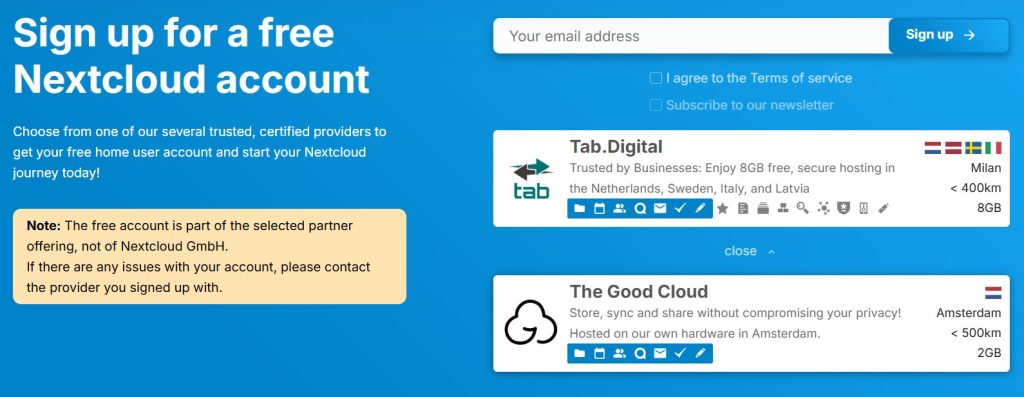
Tab Digital offers a fully functional Nextcloud installation including Collabora Office Suite.
- You get 8 GB of file storage.
- If you choose to upgrade, the smallest & cheapest is 128 GB @ 59,40 Euro yearly.
- Tab Digital’s user interface seems cluttered to me.
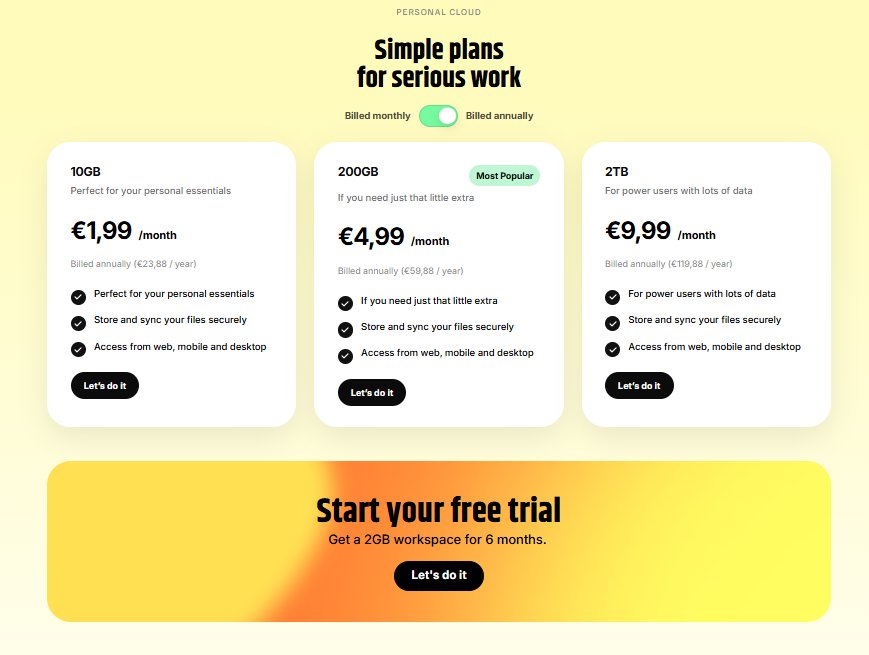
The Good Cloud also includes the Collabora Office Suite & a full Nextcloud installation.
- You start with 2 GB of file storage.
- Available upgrades include 10 GB @ 23,88 Euro yearly, or 200 GB @ 59,88 Euro.
- Good Cloud’s interface is cleaner and for my taste is a better user experience.
- Input your email address
- Click on either Tab Digital or The Good Cloud
- Click sign up
The sign-up page is at:
https://nextcloud.com/sign-up
Signup Directly From The Good Cloud Website
Click below to learn more about The Good Cloud, which is my preferred Nextcloud provider. Nextcloud is highly configurable, and the various providers configure the options in their free package differently. I have tried four different providers, and The Good Cloud is my choice for the best experience and optional upgrade choices.
Info: https://thegood.cloud
Signup: Scroll to bottom of the page to see the 6 month trial link: https://thegood.cloud/personal-plans
Desktop Client
Install this to sync your Nextcloud files to your PC. Just like Google Drive or Microsoft One Drive, this creates a folder/drive on your home machine that syncs with your Nextcloud space. You can access all of your Nextcloud documents locally using Libreoffice or Only Office or any office-compatible software on your PC. This is optional, of course. Your Tab Digital or Good Cloud Nextcloud can be used strictly online if that’s the interface you prefer.
https://nextcloud.com/install/#install-clients
Mobile Apps
Search your app store for Nextcloud. You can access all of your files on your phone. This is especially useful for the Notes function, which has its own, separate, mobile app. I use the Notes app for things like account logins and credit card info. It’s a good replacement for Simplenote and more functional.